

An entity's portrait and images
A character's face, a view of a place or a drawing of an object.
此回答尚未提供你的语言版本。
- Open the card and click Edit (the pencil).
- Under Images, click Add image and choose an image.
- Tick Identification image on the one that should be their face, and accept.
Where it shows
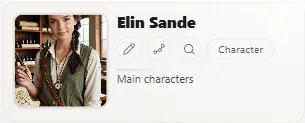
The portrait shows large on the card, next to their name in the entities list and in In the scene, and in reading mode. Click it to see it full screen and browse the other images.
More images
Add as many as you like; click one to write its description. They come from the work's library (The image library).
Remove one
In Edit, click the image and choose Remove from the sheet. It stays in the library.
Exaratio 0.9 · 第 1 版 · 2026年10月28日