

See all your entities
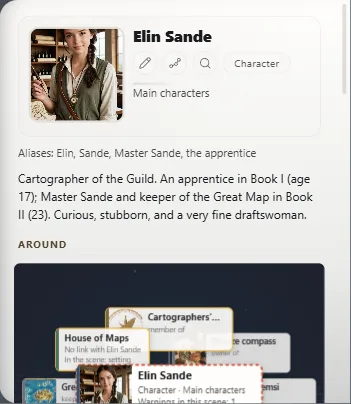
The list, grouped by category, with a search box; and each one's card.
Jawaban ini belum tersedia dalam bahasa Anda.
- Press Ctrl+E⌘E.
- Click All entities.
- Type in Search entities or categories to find one by name or alias.
They're grouped by category, each with its portrait if it has one.
Searching
Accents don't matter; if it finds one by an alias, it tells you which.
The card's header
- Edit (the pencil): name, type, category, description, aliases, characteristics and images.
- Find next occurrence in the text: the next time it appears in the work (Jump from one appearance to the next).
- See its life over time: its story along the timeline (How a character changes over the story).
The panel follows the cursor
When you go past a character's name, the panel shows their card (Who's in the scene).
Exaratio 0.9 · revisi 1 · 28 Oktober 2026