

Who's in the scene
The right-hand panel knows which scene you're in and who appears in it.
Esta resposta ainda não está no seu idioma.
- Press Ctrl+E⌘E.
At the top, In the scene gathers who appears in the passage you're writing, with how many times each is named. Click one to see their card.
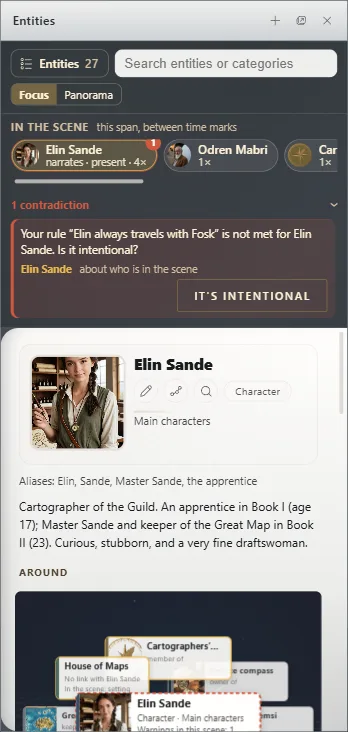
Their role
Each carries their role if you set it in the document's card (The document's card): who narrates, who's present and where it happens.
Warnings
If Exaratio spots something that doesn't fit the continuity, it flags it here: you can go to the text or mark it It's intentional; if you change your mind, Reopen (See continuity warnings).
Focus: the card
In Focus, the panel shows one entity's card and follows the cursor: portrait, description, characteristics, Links and What they know.
Panorama: everything the text names
In Panorama, it shows everything named around the cursor at once. You can widen it to their relationships, group it by type, role or category, and keep Only those who exist now. Ctrl+E⌘E with the panel open switches modes.
The montage
The Book montage button on the rail draws your book as a strip: each chapter as wide as its word count, or all equal if you choose By piece. It shows status, narrator, when it happens and which plots move forward in color. A click opens a piece; dragging it moves it. Close the montage closes it.
Exaratio 0.9 · revisão 1 · 28 de outubro de 2026