

Group entities into categories
Groups you invent, like "Harbor folk", to order the list, the map and the timeline.
- Right-click the entities list → Create new category.
- Type its name and accept.
- Drag entities onto the category.
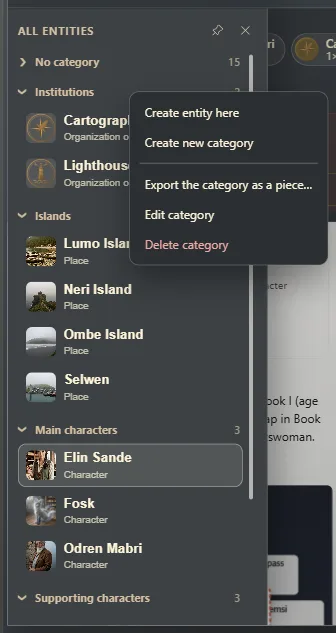
Other ways to put an entity in it
- When creating it, choose its Category. With a right-click on the category → Create entity here, it's born inside.
- For one that exists, Edit and change its Category.
- Dropping it on No category leaves it without one.
Rename or delete
Right-click the category: Edit category or Delete category. Deleting it doesn't delete its entities: they move to No category.
Where else they're used
In the relationship map, grouped by category (The relationship map); in Panorama (Who's in the scene); and on the timeline, to see only one category's events.
Exaratio 0.9 · revision 1 · October 28, 2026