

How a character changes over the course of the story
See a character's life over time at a glance: when they exist and how their traits, links and portraits change. · 1 min read
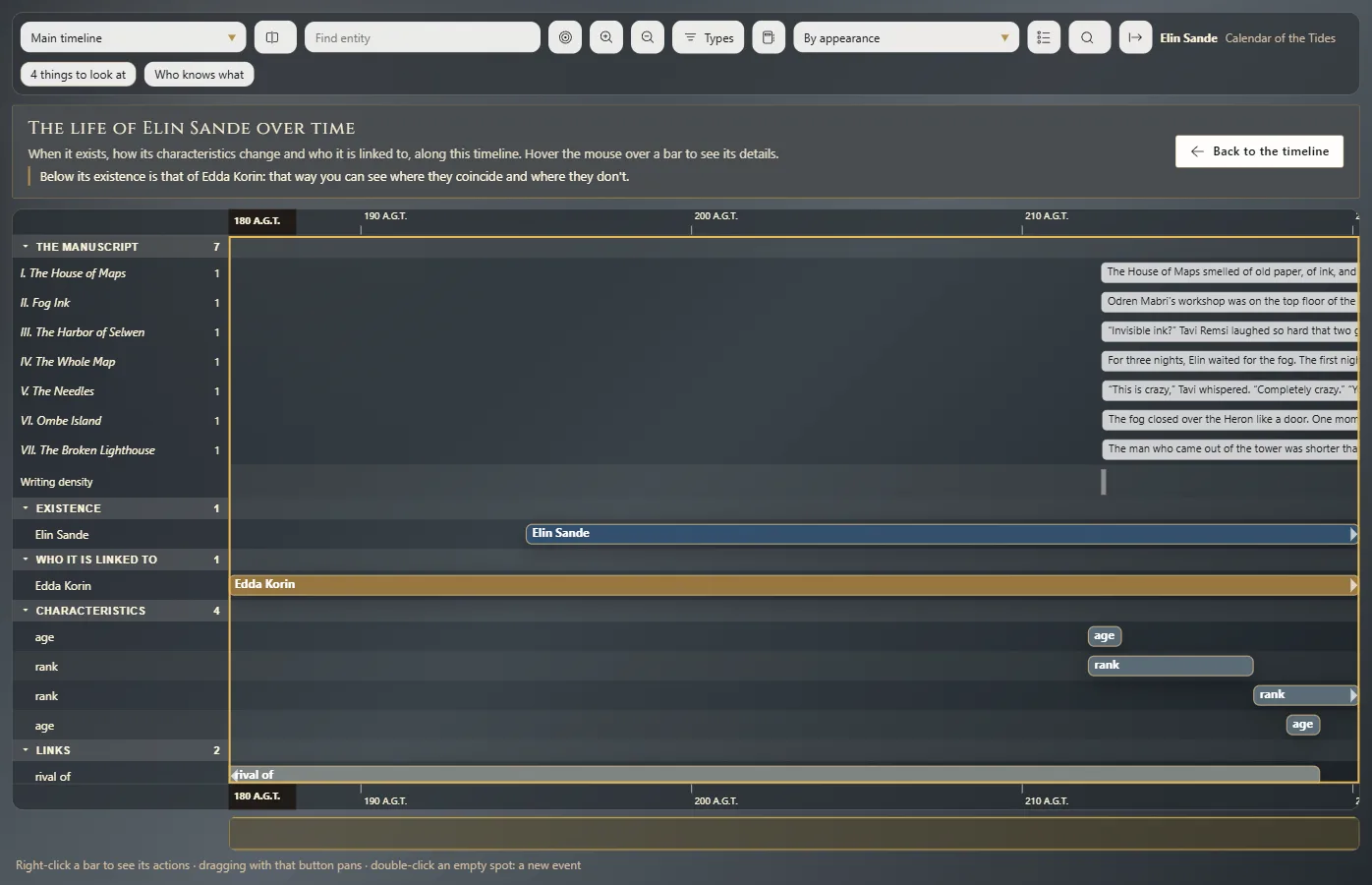
See its life over time brings together in a single view everything about an entity that changes over the course of the story.
Open it
- On the entity's sheet, click the See its life over time button.
- Or, in the text, right-click their name → See its life over time. The view opens at that scene's date.
What it shows
One lane for each thing that changes, over the active timeline:
- Existence: when they exist.
- Who it is linked to: the life of each entity they have a link with.
- Characteristics: each characteristic with its values, for example their age.
- Links: when each link begins and ends.
- Portraits: which portrait applies at each stage.
Hover over a bar to see its details. Information that doesn't have a date yet appears separately, so you know what's still left to place.
The view is built from the validities on the sheet (Sheets: the properties of each entity, Relationships between entities, Entity portraits and images).
Go back and save
Back to the timeline, or Esc, takes you back to the chronology. Save its life over time as an image saves the view so you can share or print it.
Exaratio 0.9 · revision 1 · October 17, 2026