

How a character changes over the story
When they exist, their links, characteristics and portraits, in a single view.
Esta resposta ainda não está no seu idioma.
- In the entity's card, click See its life over time.
Or, in the text, right-click their name → See its life over time: the view opens at that scene's date.
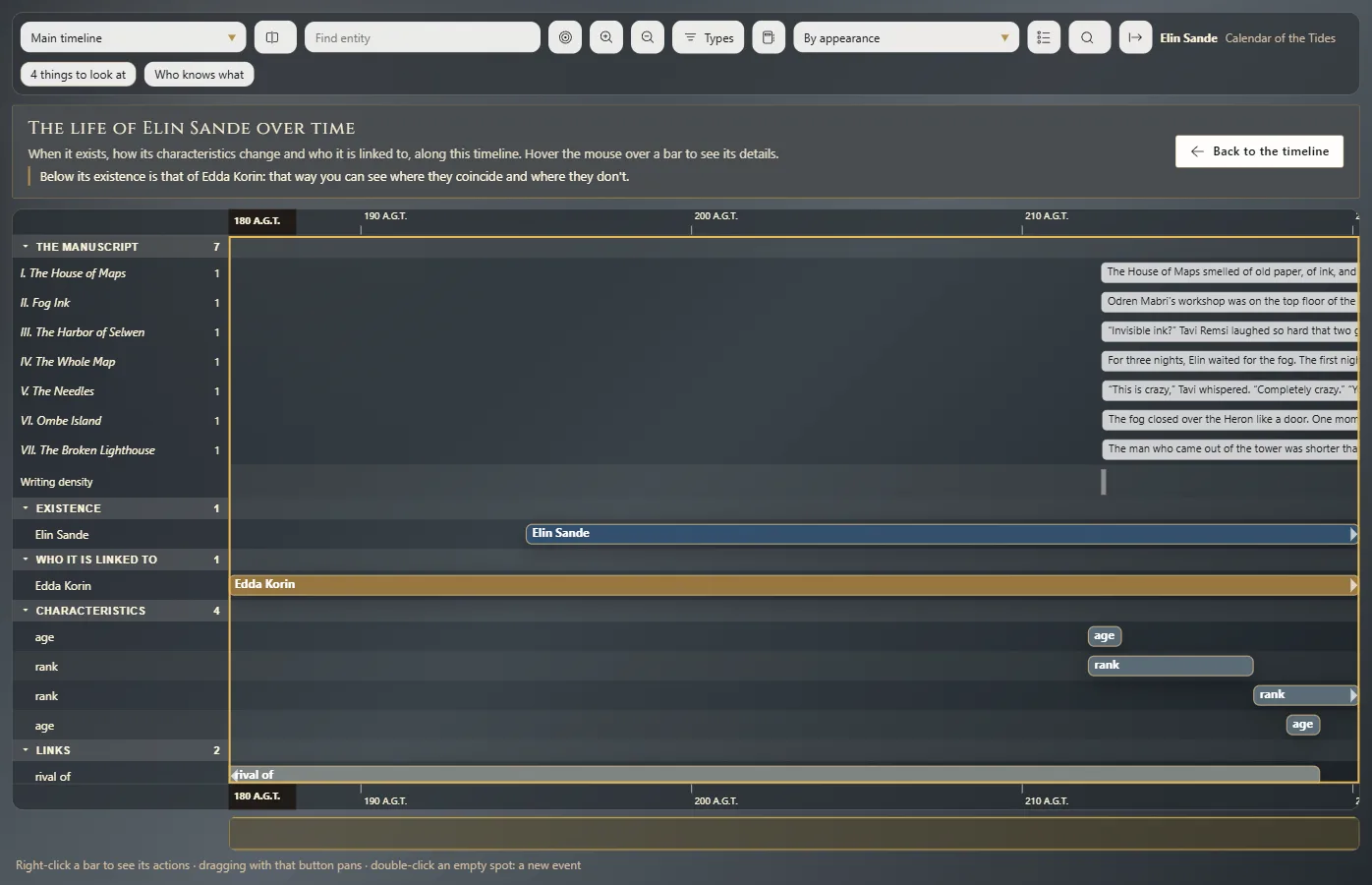
What it shows
A lane for each thing that changes, on the active timeline:
- Existence: when they exist.
- Who it is linked to: the life of each entity they're linked to.
- Characteristics: each characteristic with its values.
- Links: when each link starts and ends.
- Portraits: which portrait holds at each stage.
Details without a date yet show apart, so you know what's left to place. The view is built from the card's validities (Details that change over time).
Back and save
Back to the timeline, or Esc, takes you back to the chronology. Save its life over time as an image saves the view to share or print.
Exaratio 0.9 · revisão 1 · 28 de outubro de 2026