

The series at a glance
How long each book is, who crosses from one book to another, and the series' name and order. · 2 min read
Open the series
Choose Work → Series → View the series. If the work already has several books, you can also click the book button in the header of the Manuscript and choose See the series, or the book's name in the status bar.
What it shows you
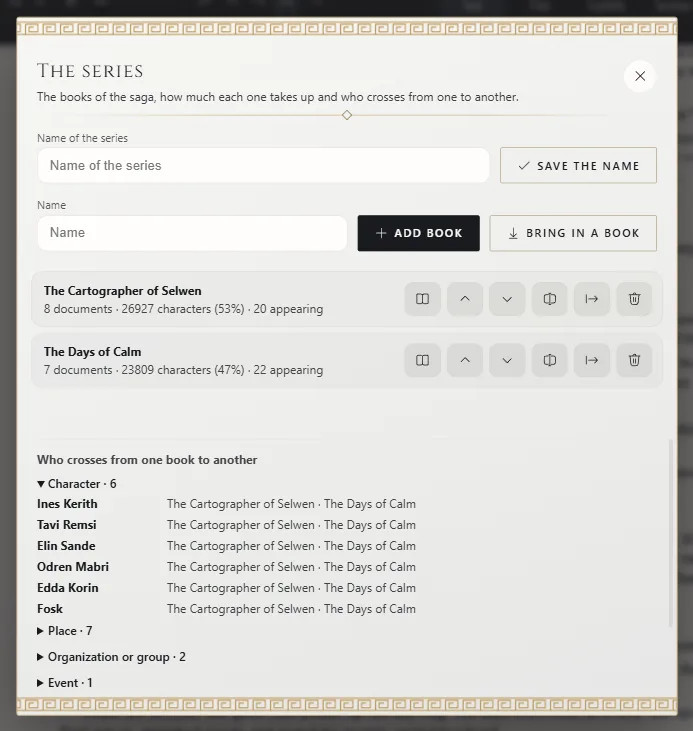
Each book appears in order, with:
- how many documents it has;
- how many characters long it is and what share of the series that is;
- how many sheets appear in it: the ones you linked in the text and the ones the text names.
Next to each one you have its buttons:
- Open: switches to writing in that book.
- Earlier in the series and Later in the series: change its place in the series.
- Change the title: changes its title, without having to open it.
- Save separately and Delete: save it as a separate work or remove it from the series (A series: several books in one work).
At the top, in Name of the series, you type the name of the whole series and click Save the name: it's the one your books' covers can show. Just below, Add book and Bring in a book add a new book or one from another work.
Who crosses from one book to another
Below, Who crosses from one book to another lists the characters, places and other sheets that appear in more than one book, and in which ones. They're grouped by type, each group with its count; if there are many, the groups appear collapsed and open with a click. Use it to check that a character comes back when you expect, or to see who stayed behind in the first book.
To find out how many words each book has, go to Work → Work statistics: with several books it adds The books of the series.
Exaratio 0.9 · revision 2 · October 17, 2026