

Your work's ratings
Let whoever finishes your work rate it anonymously, and see the results.
이 답변은 아직 사용자의 언어로 제공되지 않습니다.
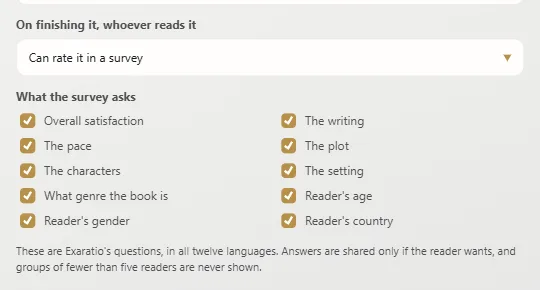
- File → Work properties: under On finishing it, whoever reads it, choose Can rate it in a survey and tick under What the survey asks which questions the survey asks.
- Work → Work ratings and click Register on exaratio.com.
- Save the work and share that copy.
Whoever reads it all can rate it. Copies saved before registering can't be rated.
What's needed
This computer must be activated with your license and the work signed with your account.
Results
In Work ratings you'll see How they score it and What genre they say it is. They show from five ratings up, and never a smaller group, so no reader can be recognized. What each reader wrote in their own words doesn't reach you: it's theirs.
Exaratio 0.9 · 개정 1 · 2026년 10월 28일