

Social media campaigns
Ads sized for each network, composed from your book's material and reviewed as a designer would.
Jawaban ini belum tersedia dalam bahasa Anda.
- Work → Campaigns.
- Click Proposals, choose which network and placement it's for and the tone.
- On a proposal, click Use this one, touch it up if you like and Save image.
Exaratio doesn't publish anything: it gives you the file, and you upload it wherever you want.
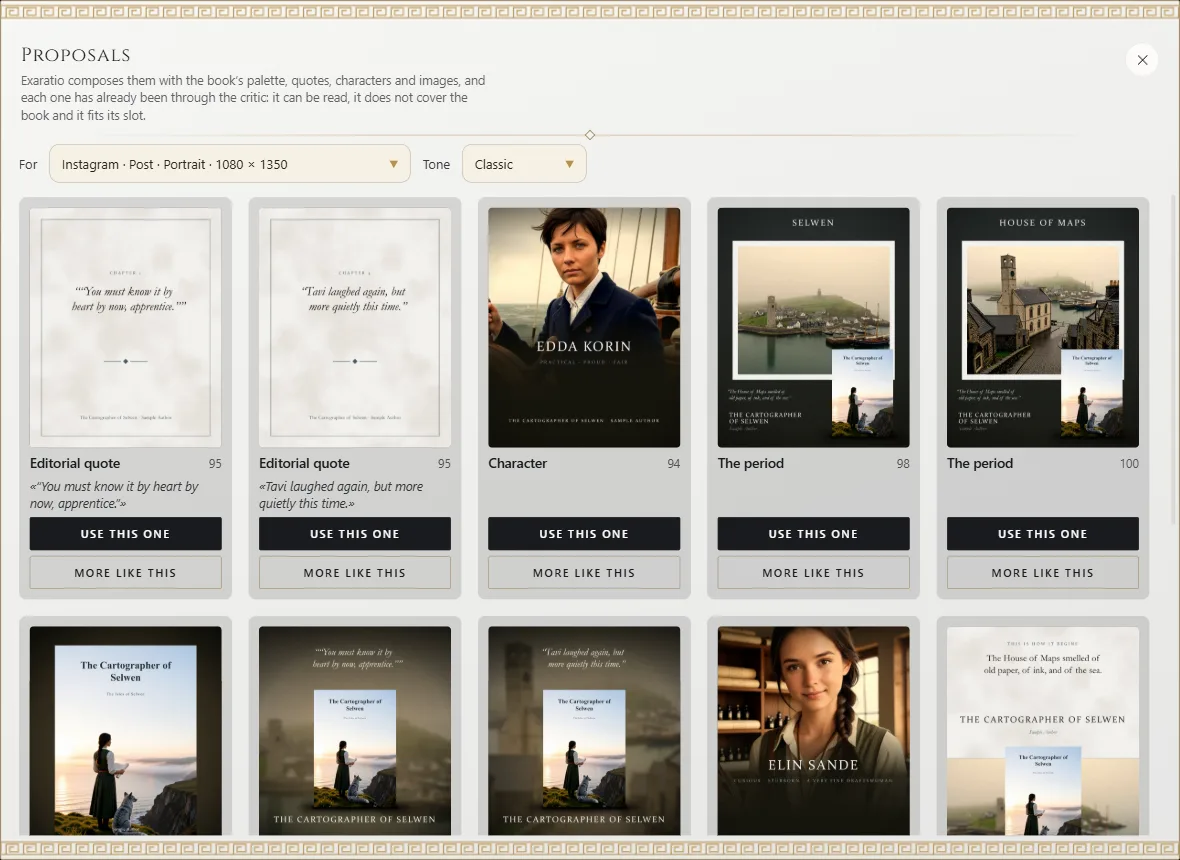
The proposals
From the cover's palette, your characters' lines, their portraits, period images and the 3D book. Each follows a recipe and first goes past a critic: that texts fit in the area the network doesn't cover, don't overlap, don't cover the book or a face, and read on a phone. Its number is its score, from 0 to 100.
- More like this: the same recipe with another line, character or image.
- Whole campaign like this: the same recipe in every ad of the campaign, each to its size.
No spoilers
Lines come from the first part of the book. If you want others, ask your assistant (What your assistant can do).
Touch up
In the composer, the same editor as the cover: layers, text, images and the 3D book. Guides mark the safe area. View shows it as it will come out; Take to other networks makes copies for other placements.
Art direction
The first proposal you choose sets the campaign's fonts, so all its ads look like the same hand made them. Everything undoes with Ctrl+Z⌘Z.
Exaratio 0.9 · revisi 1 · 28 Oktober 2026