

Modules: sounds, themes, papers and more
What dresses up your writing, signed and installable from exaratio.com or a file.
이 답변은 아직 사용자의 언어로 제공되지 않습니다.
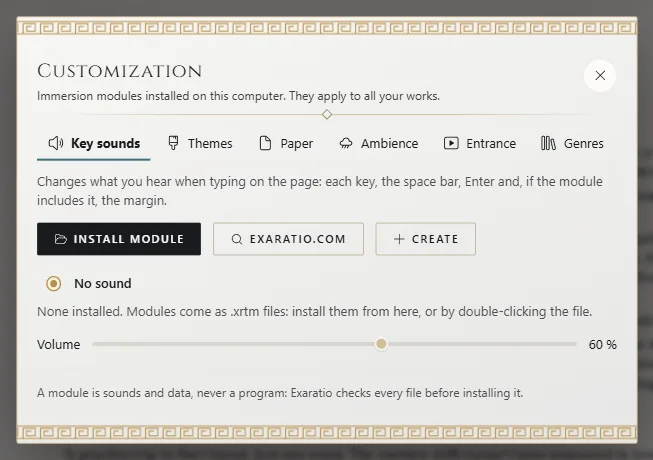
- View → Customization.
- On the type's tab, click the magnifying-glass button exaratio.com for exaratio.com's catalog, or
Install module for an
.xrtmyou already have. - Choose the module to use it.
What they are
Key sounds, themes, papers, a background ambience, the entrance when you open the work, and genres that bring several things meant to go together. They're only sounds and data, never a program.
Signed
Before installing, Exaratio shows you who signed it, its version and its license. Only signed modules install; those bearing Exaratio's name, only with its official signature.
Try, remove and create
Try to hear it, Uninstall to remove it and Create to make your own, signed with
your account. An .xrtm also installs by double-clicking it or dropping it on the window.
Fonts and calendars
A font is one more typeface (Bring in a typeface). A calendar is imported into the work (Take a calendar to another work).
Keeping them up to date
Help → Check for updates looks for new versions of your languages and modules. With Check for updates automatically, it does so on its own when Exaratio opens. It never installs anything without asking.
Exaratio 0.9 · 개정 1 · 2026년 10월 28일