

Exaratio's language
Twelve languages for the menus; the ones you don't have download from Exaratio.
Esta resposta ainda não está no seu idioma.
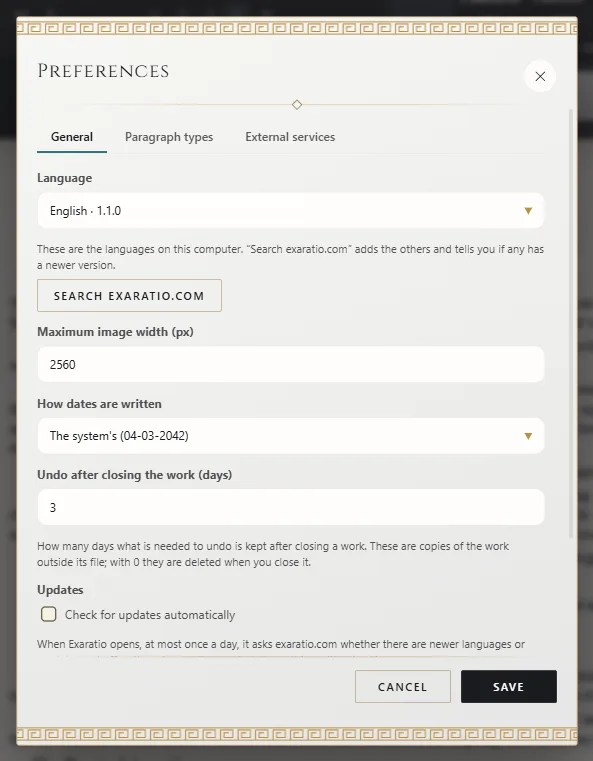
- Tools → Preferences, General tab.
- Open Language. If the one you want isn't there, click the magnifying-glass button exaratio.com.
- Choose the language and save.
It changes right away, without restarting.
The twelve
Spanish, English, Portuguese, French, German, Russian, Hindi, Bengali, Indonesian, Japanese, Korean and Chinese.
Your work's text language
That's something else: the language you write in. Exaratio detects it; if it's wrong, change it in the work's details (The book's title, author and credits).
Spelling
The spell checker follows the menu language. If you write in another, it may flag correct words.
Exaratio 0.9 · revisão 1 · 28 de outubro de 2026