

Sheets: the properties of each entity
Note down each character's age, appearance or secrets, and make a detail change over the course of the story. · 2 min read
Each entity's sheet keeps what you need to remember: their age, the color of their eyes, a secret, what they want. Each detail is a characteristic.
Add a characteristic
- Open the sheet and click Edit (the pencil).
- Under Properties, click Add characteristic.
- Type the name of the characteristic or choose one of the suggestions, and its value.
- Save it and click OK.
Exaratio suggests characteristics based on the type: for a character, “Date of birth”, “Physical characteristics”, “Secrets”, “Desires”; for an object, “Owners” or “Purpose”; for a place, “Exterior” and “Interior”. You can also make up your own.
Some characteristics link to another entity, like “Relatives” or “Place of birth”. Those are relationships (Relationships between entities).
Details that change over time
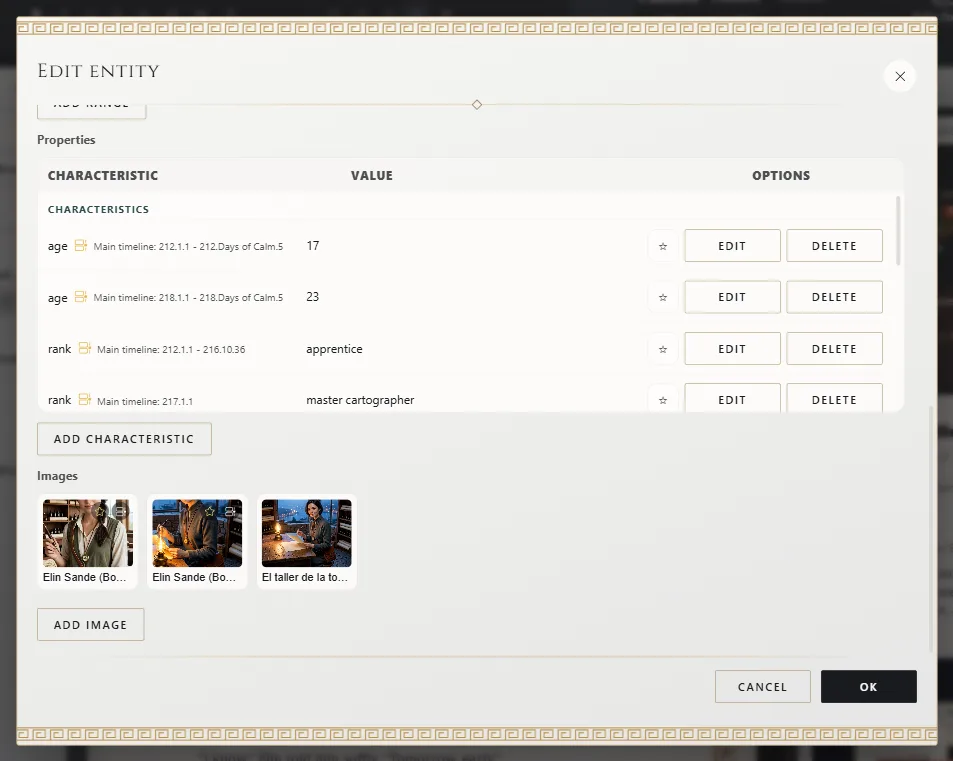
Your character is twelve in the first book and nineteen in the second. To show that:
- Edit the characteristic and, in Validity of the characteristic (optional), set from when and until when it applies.
- Add another row with the same characteristic, the new value and its own validity.
Exaratio checks each date as you type it and tells you how it understands it.
On the sheet, Right now shows the value at the moment you're writing, and Changes over time shows them all, in order.
Key characteristics
Mark your most important characteristics with the star. They'll always appear on the Around cards, the view of the sheet with the entities surrounding this one.
Exaratio 0.9 · revision 1 · October 17, 2026