

Look up what a word means
Rest on a word to see what it means, without leaving the book, and save it in your notes if you like. · 2 min read
Rest the pointer on a word: after a moment, a capsule appears next to it. It also appears when you double-click or right-click. Click Meaning.
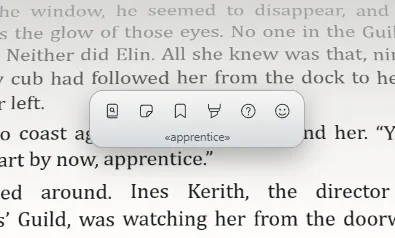
Where it comes from
Exaratio looks the word up in Wiktionary, the free dictionary, in the language the work is written in, and shows you its meaning, with the source and its license cited. If the word is a form of another —a plural, a conjugated verb—, it takes you to the one it belongs to.
If that language's Wiktionary doesn't have it, it looks in the English one; and if neither has it, it offers you an automatic translation into English, warning you that it hasn't been checked. With See on Wiktionary you open the full entry in your browser.
Save it
Click Save as a note: the meaning stays in Your notes, on that line, citing Wiktionary, so you'll find it when you come back to that page (Take notes, mark, underline and ask).
The rest of the capsule
The same capsule has Take a note, Mark, Underline, Question and Reaction (Take notes, mark, underline and ask, What it made you feel). If you'd rather it didn't appear when you rest on a word, turn off Options when pausing in Settings.
Exaratio 0.9 · revision 1 · October 17, 2026