

Bring in a typeface
Fonts from Google Fonts, your computer or your modules, which travel inside the work.
- Work → Fonts.
- Choose where from: Google Fonts, click Get; your computer, Import from disk; your modules, Bring into the work.
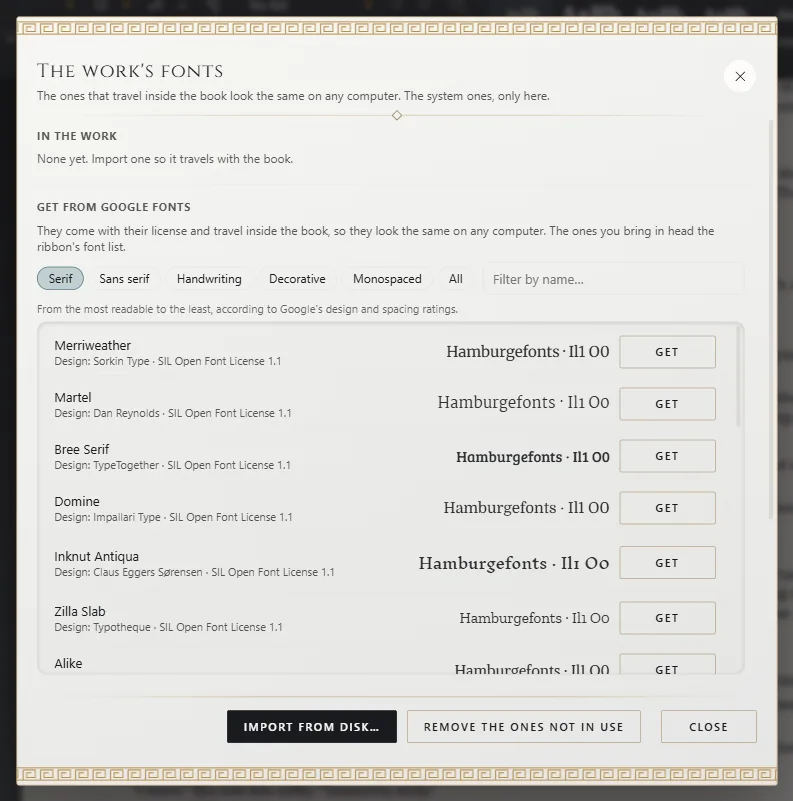
It travels with the work
Typefaces you bring in go inside the .exar file: your book looks the same on any computer. Fonts installed on
your computer are only seen there.
Using it
- As the book's font: choose it as the work's base font (The work's base font).
- In a paragraph style: choose it for that style in your palette (Paragraph styles and your palette).
- On a piece of text: select it and choose it in the font list, under In the work.
- On the cover: in Typeface, in the cover editor.
Licenses
Exaratio only brings in typefaces whose license lets them travel inside a book. Under Installed on this computer the
others show as "cannot be embedded". It uses TrueType fonts (.ttf).
From your modules
Fonts from an installed module show under From your modules. You can also just pick one in the font list: using it brings it into the work.
Remove it
Remove takes it out of the work; if it's in use, change the font where you use it first. Remove the ones not in use removes all unused ones at once.
Exporting with another font
Choose it under Book typeface when you export. In Word and RTF, whoever opens the file needs the font installed.
Exaratio 0.9 · revision 1 · October 28, 2026