

Find and replace in the whole work
Search every chapter at once and change what you find.
이 답변은 아직 사용자의 언어로 제공되지 않습니다.
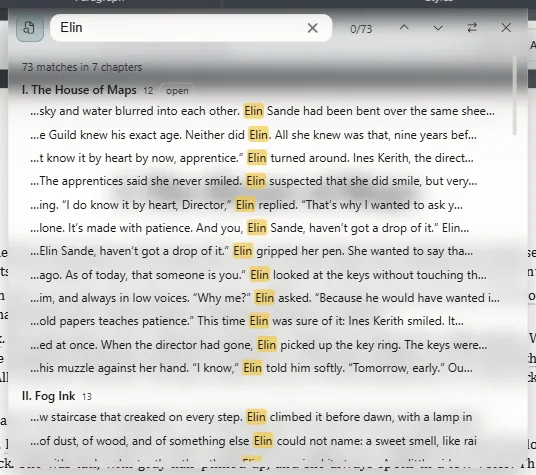
- Press Ctrl+Shift+F⌘⇧F and type.
- Click a result to open its chapter right at that sentence.
Results are grouped by chapter, with a snippet of the sentence.
Replace
Press Ctrl+H⌘H, or Replace on the bar, and type the new text.
- Replace changes the match in front of you and moves to the next. The first time it only takes you there: it never changes something you can't see.
- Replace all changes them all. In the whole work, it first tells you how many it will change and asks you to confirm.
The new text keeps the formatting of where it was: if the word was in italics, the new one is too.
Undoing a replace
Replace all is undone in one go with Ctrl+Z⌘Z: everything replaced goes back as it was.
What it covers
The text of the open book's chapters, including what you haven't saved yet. Next and previous go through every chapter. On the same bar you switch the scope between the chapter and the work.
A character's name
If you change a character's name in the text, change it in their card and aliases too (Rename an entity).
Exaratio 0.9 · 개정 1 · 2026년 10월 28일